Virtual Staging for Real Estate Agents (2026): Best Tools and Real Costs
Aug 11, 2026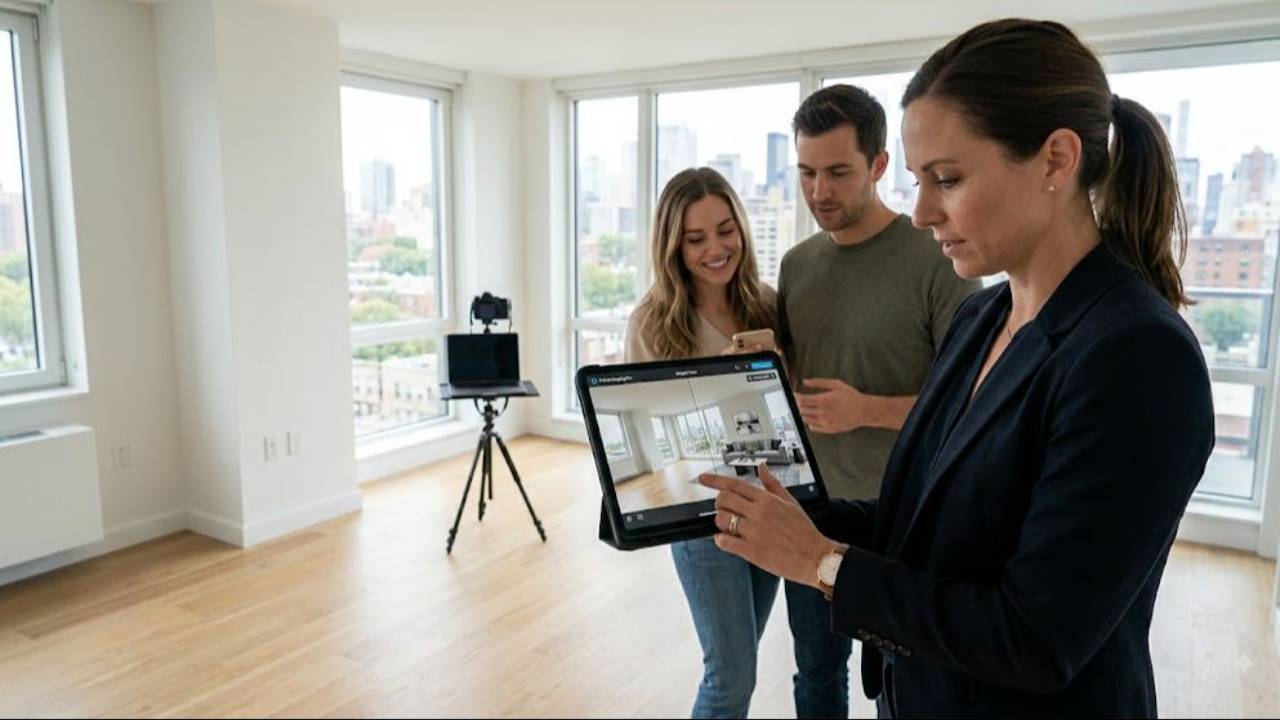
Virtual staging has quietly become one of the highest return moves in listing marketing, and in 2026 it is better, cheaper, and more scrutinized than ever. Done right, it turns an empty, echoing room into a space a buyer can actually picture living in, for a tiny fraction of what physical staging costs. Done wrong, it gets your listing flagged, fined, or pulled.
I am Saad Jamil. I have closed more than $500M and over 800 homes, and I still list and sell today, so I use virtual staging on real listings the honest way. I also run the real estate coaching at Jamil Academy, so this guide gives you the real 2026 tools, the real costs, and the disclosure rules most articles skip, because getting those wrong is what actually costs agents money.
Where I stand
To complete that disclosure: I have been licensed since 2007, I have closed more than 800 homes and over $500M in Northern Virginia, and I still list and sell today. On use, I use virtual staging on my own listings as I say above, but I have not run my own business on any of the specific tools named below and nothing here is presented as first hand testing of a named vendor. I also run Jamil Academy and sell coaching and marketing systems, so I have a commercial interest in this space, although I do not sell a virtual staging product.
I have no affiliate link, no commission, no sponsorship and no free account with any of the staging tools or services named here or any company named here. Nothing on this page pays me whichever way you decide. Everything below names its source and the date I read it.
Quick Answer
Virtual staging digitally adds furniture and decor to photos of empty rooms so buyers can picture the space, and in 2026 it costs roughly $0.50 to $5 per image with AI tools or about $16 to $120 per image with professional human services, versus $1,500 to $5,000 or more for physical staging. It is allowed and effective, but only when you disclose it. Label every staged photo clearly, keep the original empty photos in the listing, and never use it to hide a defect. Prices here were read from each provider's own advertised pricing on or before 11 August 2026, are unverified since, and change often, so confirm current rates.
In This Guide
Is virtual staging worth it in 2026?
Virtual vs human vs physical staging
The best virtual staging tools and companies
What virtual staging really costs in 2026
The disclosure rules you must follow
What you must never do with virtual staging
Which rooms to stage and how many photos
Estimate your cost and savings: the interactive
AI virtual staging: pros, cons, and the realism trap
How to brief a staging service for realistic results
How virtual staging fits your listing marketing
Mistakes agents make with virtual staging
Frequently asked questions

What virtual staging is and why it works in 2026
Virtual staging is the process of digitally adding furniture and decor to photographs of empty rooms so that buyers can picture how the space could actually be lived in. A skilled artist or an AI tool takes a photo of a bare living room and drops in a sofa, a rug, lamps, art, and the small touches that make a house feel like a home. The room itself does not change. Only the way buyers see its potential does.
It works because empty rooms are hard for most people to read. Buyers walk into a vacant space and see the flaws, the scuffs, the odd corner they do not know how to fill. Give them a furnished version and they see possibility instead, a place to put the couch, a spot for the dining table, a bedroom that fits a real bed. That shift from problem to possibility is what moves people to book a showing.
In 2026, virtual staging is more common than ever for a simple reason. It sells that possibility at a fraction of the cost of physical staging, in a market where most buyers start on their phone. The first showing now happens in the photos, and a well staged photo is what earns the click, the save, and the in person visit. That is why so many listing agents treat it as a standard part of the marketing, not a luxury add on.
It also helps to be clear about what virtual staging is not. It is not a home renovation, and it does not change a single thing about the actual property. It is a marketing layer applied to the photos, nothing more. That distinction matters, because the moment agents start treating it as a way to improve the house rather than to illustrate its potential, they drift toward the kind of editing that gets listings in trouble. Show the space furnished, keep the space honest, and the tool does its job.
Is virtual staging worth it in 2026?
The honest answer is that virtual staging is worth it for most vacant listings, and a poor choice for a specific few. When a home is empty, staged photos consistently earn more clicks and more showings than bare rooms, and the cost is small enough that the math almost always works. Spending $100 to $300 to stage the key photos of a listing that will sell for hundreds of thousands of dollars is not a hard call.
Where it is not worth it is when the home is already furnished and shows well, or when an agent is tempted to use it to paper over real problems. If the rooms are occupied and attractive, you rarely need it. And if you are reaching for virtual staging to hide a defect or fake a feature, it is not just a bad deal, it is a liability that can cost you the listing, a fine, or an ethics complaint.
Think of it as leverage, not a magic trick. On a vacant home it can lift interest for very little money. It cannot fix a bad price, a bad location, or bad photography of the actual condition. Used on the right listing, disclosed honestly, and kept realistic, it is one of the best returns in your entire marketing budget.
It also pays to think about the counterfactual. An empty listing does not just look plainer, it can sit longer, and days on market cost sellers real money in price reductions and carrying costs. If staging a handful of photos for a couple hundred dollars helps a vacant home show better and move faster, the return is not measured only in the staging fee, it is measured in a stronger first impression and fewer price cuts. That is the frame I use when a seller asks whether it is worth the spend.
Virtual vs human vs physical staging
Before you pick a tool, it helps to see the three options side by side, because they are not really competitors so much as different tools for different jobs. Virtual staging and human staging both work on photos. Physical staging works on the actual house. Here is how they compare on the things that matter.
The quality judgements in this table, including the realism ratings, are my own opinion formed from each provider's published examples and pricing read on or before 11 August 2026. They are not the output of a controlled test and no provider was asked to comment.
The pattern is clear. AI is fastest and cheapest but least reliable on realism. Human virtual staging costs more and takes longer but looks like a real room. Physical staging is the most convincing of all because it is real, but it costs ten to fifty times as much as the virtual options and only makes sense on the listings that can carry it. Most agents use virtual staging on vacant homes and save physical staging for luxury and marquee listings.
There are also times to combine approaches. On a vacant luxury listing, you might physically stage the main living areas that buyers walk first and virtually stage the secondary bedrooms to round out the photo set at a lower cost. The two are not mutually exclusive. The point is to match the spend to what each room needs to accomplish in the photos and at the showing.
The best virtual staging tools and companies
The market splits into two camps: fast AI tools you run yourself, and professional services where real artists do the work. Both have a place. The right choice depends on how much realism the listing demands and how much time and money you want to spend.
On the AI side, tools like Virtual Staging AI, REimagineHome, Collov AI, Apply Design, Styldod, and roOomy let you upload a photo and get a staged version back in minutes, often for a dollar or two per image or a flat monthly fee. If you want the wider picture on where these fit alongside the rest of your stack, see our guide to AI tools for real estate agents. The trade off, in my view, is realism. My read of AI generated staging as a category is that furniture can look generic, scale can be off, and lighting sometimes gives the edit away. That is a general impression of the category rather than a tested finding about any particular tool named above.
On the human side, services like BoxBrownie, Stuccco, PadStyler, Virtual Staging Solutions, Spotless, and Styldod put a trained artist on your photo. Turnaround is usually 12 to 72 hours and the results are photorealistic and art directed, which is why listing photographers and top agents lean on them. You pay more per image, but the output is far harder to spot as staged.
Prices here were read from each provider's own advertised pricing on or before 11 August 2026, are unverified since and change often, so confirm current rates and check the licensing terms before you order. Whatever you choose, judge it on one question: would a buyer believe this is a real photo of a real room?
How do you choose between them in practice? Start with the listing. A modest vacant condo that needs to move quickly is a fine fit for a good AI tool. A higher priced home where the photography is the centerpiece of the marketing deserves a human artist who will get the light and scale right. And if you stage a high volume of listings, it can make sense to keep a subscription for quick drafts and a trusted human service on call for the listings that matter most.
What virtual staging really costs in 2026
Virtual staging pricing in 2026 lands in a few clear tiers, and knowing them keeps you from overpaying or buying the wrong level of quality. These ranges were read from advertised pricing on or before 11 August 2026 and are unverified since, so treat them as a guide and confirm current rates before you order.
AI tools are the cheapest. Expect roughly $0.50 to $5 per image if you pay per photo, or about $29 to $199 a month for a subscription that lets you stage in volume. Credit based tools like Apply Design run about $7 to $10 per credit. This tier is fast, often minutes, and best when you need speed and quantity more than flawless realism.
Human and professional services cost more and are worth it when the photos have to sell. Freelancers typically run about $15 to $35 per image, agencies about $20 to $45, and premium art directed work about $40 to $120. A well known service like BoxBrownie advertises around $24 per 2D image. Turnaround is usually 12 to 72 hours.
Physical staging sits in a different universe on price, roughly $1,500 to $5,000 or more per listing, which is exactly why virtual staging exists. For the cost of staging one home with real furniture, you could virtually stage dozens.
Watch the hidden costs, because they are where budgets slip. Furniture replacement and revisions, commercial licensing for the images, rush delivery, custom furniture requests, and virtual renovation add ons like new flooring or paint all cost extra. Ask what a quoted price includes before you commit, so a cheap per image rate does not balloon once you need changes.
A simple way to budget is to think per listing rather than per image. If you stage four to six photos of a vacant home at a professional rate, you are usually looking at somewhere in the low hundreds of dollars, all in. Compare that to the price of a single extra week of days on market, and the number stops looking like a cost and starts looking like insurance on your first impression. Set a standard staging budget per vacant listing and it becomes a routine line item, not a debate every time.
The disclosure rules you must follow
This is the section most articles skip, and it is the one that actually protects your license and your commission. Virtual staging is allowed, but only when you disclose it clearly, and the rules are stricter than many agents realize.
Start with the MLS. In my experience nearly every MLS requires that virtually staged photos be clearly labeled. That usually means either a visible Virtually Staged watermark on the image, commonly set around 30 to 50 percent opacity so it is obvious but not distracting, or a clear notation in the listing remarks, ideally in the first few lines rather than buried at the bottom. Most MLSs I have worked with go further and require that you also include the original empty photos alongside the staged ones, so buyers can see the real room. Rules differ by MLS and I have not surveyed them all, so read your own MLS's written policy before you publish.
Then there is the NAR Code of Ethics. Article 12 requires REALTORS to present a true picture in their advertising and marketing. Virtual staging does not violate that standard when it is disclosed, because a labeled staged photo is honest about what it is. It absolutely can violate it when it is hidden or used to deceive. Disclosure is the line between a smart marketing tool and an ethics problem.
Finally, watch your state. Some states have added their own disclosure requirements on top of MLS and NAR rules, and California is one example where agents should be especially careful. Rules also keep changing as virtual staging spreads. The safe habit is simple: label every staged image, keep the originals in the listing, note the staging in the remarks, and confirm your specific MLS and state requirements before you publish.
It is worth understanding why both methods of disclosure exist. A watermark travels with the image, so it stays visible even when a photo is pulled into a third party site or a social post, which is why many agents prefer it. A remarks notation is easy to add and covers the whole listing, but it can be missed if a buyer only looks at the pictures. Using both, a clear label on the staged images and a line in the remarks, is the belt and suspenders approach, and it is the safest way to stay clearly on the right side of any MLS rule.

What you must never do with virtual staging
There is a bright line between honest virtual staging and misrepresentation, and crossing it is how agents get fined, sued, or worse. The rule of thumb is that virtual staging should help a buyer imagine the space, never mislead them about what they are buying.
Never use virtual staging to remove or hide a defect. Painting over a water stain, erasing a crack, or cleaning up damage in the photo is misrepresentation, full stop. Never replace furniture in an occupied room, because the buyer is seeing a version of the home that does not exist and cannot tell what is real. Never alter structural elements, and never add features that are not there, such as a fireplace, a deck, a finished basement, or a view.
The best practice is the simplest one: stage empty rooms only. When you start with a genuinely vacant space and add furniture that could plausibly go there, you are showing potential, not faking reality. When you start editing a room that already has things in it, you are almost always heading toward deception
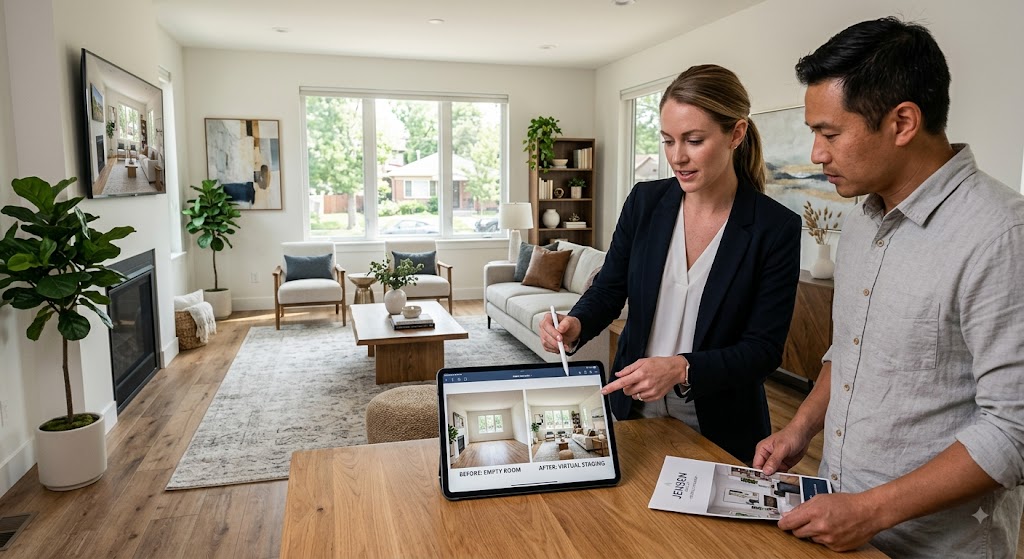
The consequences are real. Non compliance can bring MLS fines. I have seen figures in the range of $500 to $5,000 quoted, but penalties are set by each MLS and I cannot tie that range to a named published schedule, so check your own MLS rules for the actual amounts. Non compliance can also bring removal of the listing, formal ethics complaints, and misrepresentation liability if a buyer relied on a faked photo. None of that is worth the shortcut. Stage vacant rooms, disclose the work, and keep the original photos, and virtual staging stays firmly on the right side of the line.
A useful test is to ask what happens when the buyer walks in. If the person standing in the actual room would feel deceived by your photo, the edit went too far. A staged empty living room passes that test, because the buyer sees the same bare room and understands the furniture was illustrative. A photo with a defect erased or a fireplace that does not exist fails it instantly, and that gap between the picture and the property is exactly what turns into a complaint or a claim.
Which rooms to stage and how many photos
You do not need to stage every room, and trying to usually wastes money and starts to look unnatural. Focus on the spaces that drive a buyer's emotional decision, because those are the photos that earn the showing.
The three that matter most are the living room, the primary bedroom, and the kitchen or dining area. The living room sets the tone for the whole listing, the primary bedroom sells comfort and rest, and the kitchen or dining space shows how life happens in the home. Stage those well and you have covered the rooms buyers care about first.
On quantity, a handful of strong photos beats a fully staged set. For most homes, staging three to six key images is plenty. You want enough to tell the story of the home without the listing feeling like a catalog, and you want every staged photo to hold up as believable.
Realism is everything. Keep furniture at the correct scale for the room so a sofa does not swallow a small space or float in a large one. Match the lighting and shadows to the original photo. Choose a style that fits the likely buyer, clean and modern for a starter condo, warmer and more traditional for a family home. And always include the original empty shots so buyers can see the real room next to the staged version.
A few rooms are usually better left alone or handled with care. Bathrooms and laundry rooms rarely need staging, and hallways almost never do. Outdoor spaces like a patio or deck can benefit from light staging when they are a genuine selling point, but keep it restrained and realistic. The goal is a photo set that feels like a real, livable home, not a showroom, so resist the urge to fill every frame just because you can.
Estimate your cost and savings: the interactive
Numbers make the case better than any pitch, so use the estimator below to see what virtual staging would cost for your listing and how it compares to physical staging. Enter how many photos you want staged, a per photo price, and your list price, and it does the rest.
AI virtual staging: pros, cons, and the realism trap
AI virtual staging is the fastest growing corner of this market, and it is genuinely useful, as long as you understand exactly what you are getting. Used with clear eyes, it saves time and money. Used blindly, it produces photos that quietly hurt your listing.
The pros are real. AI tools are cheap, often a dollar or two per image, and fast, with results in minutes rather than days. They let a busy agent stage a vacant listing the same afternoon the photos come back, and they keep improving as the technology matures. For high volume, budget listings, or a quick first draft, that speed and price are hard to beat.
The cons are just as real, and they cluster around realism. This is the realism trap: AI furniture can look generic, proportions can be slightly off, and shadows and reflections sometimes do not match the room, which registers to buyers as fake even when they cannot say why. A photo that looks edited erodes trust in the whole listing, and a buyer who feels tricked at the showing is a buyer you have lost.
The smart move is to treat AI as a starting point and judge every output honestly. If a staged image would not pass as a real photo of a real room, do not use it. For listings where the photos carry the marketing, pay for a human service that will look right. And no matter which you use, disclose it. AI does not change the disclosure rules one bit, and a fake looking hidden edit is the worst of both worlds.
One more thing about AI worth saying plainly: the technology is improving fast, and the gap with human work is narrowing every year. That is good news, but it does not change the discipline. A better tool still needs a good source photo, a realistic style, and honest disclosure. The agents who get burned are not the ones using AI, they are the ones who let speed and low cost tempt them into skipping the review and the label. Use the newest tools if you like, just hold them to the same standard.
How to brief a staging service for realistic results
Whether you hire a human service or run an AI tool, the quality of what you get back depends heavily on the brief you give. A few minutes of clear direction is the difference between a photo that sells and one you have to redo.
Start with clean, well lit source photos. Virtual staging can only build on what you give it, so shoot the empty room straight, in good light, with the whole space visible. Blurry or dark source images produce weak, obviously edited results no matter how good the artist or tool is.
Then specify the details. Tell the service the room type, the style you want, clean modern or warm traditional, and the target buyer for the home. Point out the scale of the room and any fixed features the furniture needs to work around, like windows, a fireplace, or an odd angle. The more context you give, the more believable the result.
Finally, review against reality. When the staged photo comes back, ask whether the furniture fits the actual dimensions, whether the lighting matches, and whether a buyer would believe it. Request revisions if anything looks off, since most professional services include them. And confirm the licensing terms so you are cleared to use the images everywhere your listing will appear.
Keep a short reference of what has worked for you. Once you find a style, a service, and a set of instructions that consistently produce believable results, write them down and reuse them. Staging gets faster and more reliable when it is a repeatable process rather than a fresh guess on every listing, and consistency across your listings quietly reinforces your brand as an agent whose photos always look right.

How virtual staging fits your listing marketing
Virtual staging is one piece of a listing marketing system, and it works best when the rest of that system is pulling in the same direction. Great staged photos deserve to be seen everywhere your listing lives.
Start with your foundation. Staged photos should anchor your listing on the portals, your website, and your social channels. Build the rest of your toolkit around them with the right real estate marketing tools, and make sure the photos land in front of buyers through consistent real estate social media marketing rather than sitting on the MLS alone.
Give the photos a home that shows them off. A fast, modern site makes staged images shine, so if yours is dated, compare the best real estate website builders and pick one that presents photography well. And when you win the appointment, let the marketing do the talking in the room with a strong listing presentation template that shows sellers exactly how you will market their home, virtual staging included.
If you want help turning all of this into a repeatable system rather than a scramble on every listing, that is exactly what my real estate coaching for agents at Jamil Academy is built to do. The agents who win listings are not the ones with the most tools, they are the ones who use a handful of them consistently, on every home, every time.
Consistency is the multiplier here. A great staged photo that only appears on the MLS is doing a fraction of its job. The same image working across the portals, your site, your email, and your social feed is what compounds into attention, and attention is what fills a showing calendar. Treat your best staged shot as the hero of the whole campaign and put it everywhere a buyer might be looking.
Mistakes agents make with virtual staging
Most virtual staging problems come from a short list of avoidable mistakes. Steer clear of these and you get all the upside with none of the risk.
- Skipping disclosure. The single most dangerous mistake. Failing to label staged photos or note them in the remarks can bring fines, listing removal, and ethics complaints, and it destroys buyer trust the moment they walk in.
- Using it to hide flaws. Editing out damage, stains, or wear turns a marketing tool into misrepresentation and real liability. Never fix the house in the photo.
- Staging occupied rooms. Swapping or removing real furniture in a lived in home misleads buyers about what exists. Stage vacant rooms only.
- Chasing the cheapest option. A two dollar AI image that looks fake can cost you showings. Match the quality level to how much the photos need to sell.
- Overstaging. Staging every room, or cramming rooms with furniture, looks like a catalog and reads as fake. A few realistic, well chosen photos work better.
- Ignoring scale and lighting. Furniture that is the wrong size or lit differently than the room is the fastest way to give the edit away. Realism is the whole game.
- Forgetting the original photos. Most MLSs require the empty shots too, and buyers want to see the real room. Always include them.
Frequently asked questions
Is virtual staging worth it for real estate agents in 2026?
For most vacant listings, yes. Virtual staging costs a small fraction of physical staging, often $16 to $120 per image with a professional service or $0.50 to $5 with an AI tool, and it helps buyers picture the space, which can lift clicks and showings. It is worth it when the photos are realistic and clearly disclosed. It is not worth the risk if you use it to hide problems or skip disclosure, because that can cost you far more than you save.
Do you have to disclose virtual staging?
Yes. Nearly every MLS requires you to disclose virtually staged photos, usually with a clear Virtually Staged label on the image or a notation in the listing remarks, and most also require you to include the original empty photos. The NAR Code of Ethics Article 12 requires your marketing to present a true picture, and virtual staging is allowed only when it is disclosed. Some states have added their own disclosure laws, so confirm your MLS and state rules before you publish.
How much does virtual staging cost in 2026?
Recently advertised rates run about $0.50 to $5 per image for AI tools, or roughly $29 to $199 a month for a subscription, and about $16 to $120 per image for professional human services with a 12 to 72 hour turnaround. Freelancers tend to run $15 to $35, agencies $20 to $45, and premium art directed work $40 to $120. Physical staging, by contrast, runs roughly $1,500 to $5,000 or more per listing. Confirm current pricing before you order.
Is AI virtual staging good enough to use on real listings?
Sometimes. AI virtual staging is fast and cheap and keeps improving, but it can produce generic furniture, odd scale, and lighting that looks off, which reads as fake to buyers. For a quick draft or a low budget listing it can work. For photos that need to sell, a professional human service is usually worth the higher price. Whatever you use, keep it realistic and disclose it, because a fake looking photo hurts trust and a hidden edit can bring real liability.
Can you virtually stage an occupied home or remove clutter?
Best practice is to virtually stage empty rooms only. You should never use virtual staging to replace furniture in an occupied room, remove or hide defects, alter structural elements, or add features that do not exist, because that misrepresents the property. Digitally decluttering or swapping a seller's furniture crosses into misleading buyers and can trigger ethics complaints and misrepresentation liability. Stage vacant spaces, disclose the edits, and keep the original photos available.
Which rooms should you virtually stage?
Focus on the rooms that drive a buyer's decision: the living room, the primary bedroom, and the kitchen or dining area. Those spaces set the emotional tone of the listing. You usually do not need to stage every room, and staging three to six key photos is plenty for most homes. Keep furniture scale and lighting realistic, match the style to the likely buyer, and always include the original empty shots alongside the staged versions.
About the Author
Written by Saad Jamil, founder of Jamil Academy and a currently producing Top 1% Realtor in Northern Virginia, with $500M+ in career sales and 800+ homes closed. Licensed since 2007 in VA, DC, MD, and WV, Saad has marketed and sold more than 800 homes and uses virtual staging the honest way described here, disclosed, realistic, and always in service of the sale. View Saad’s Zillow profile.
Disclosure rules vary by MLS and state and continue to change, so confirm your local requirements before you publish any virtually staged photo.
Educational content only. Not brokerage, legal, tax, financial or investment advice, and not a recommendation to buy or sell any security. Jamil Academy is not affiliated with, endorsed by, or sponsored by any company named in this article. Company and product names are trademarks of their respective owners and are used here only to identify what is being discussed. This page carries no affiliate links, no commissions and no sponsored placements, and the author earns nothing whichever way you decide. Prices, fees, contract terms, ratings and review counts were read from the sources named on or before 11 August 2026 and change without notice. Statements drawn from lawsuits, complaints, employee reviews and customer reviews are allegations by the people who made them, not findings of fact, and unresolved matters are described as unresolved. Views expressed are the author's own opinion. Confirm current terms directly with the company before signing anything. If you believe anything here is inaccurate, tell us and we will correct it.
Free: 5 Ways to Get More Listings Without Cold Calling
Five lead strategies that work without cold calls or ad spend, from an agent with $500M sold and 900+ homes closed.
No spam. Unsubscribe any time.
Your Coach